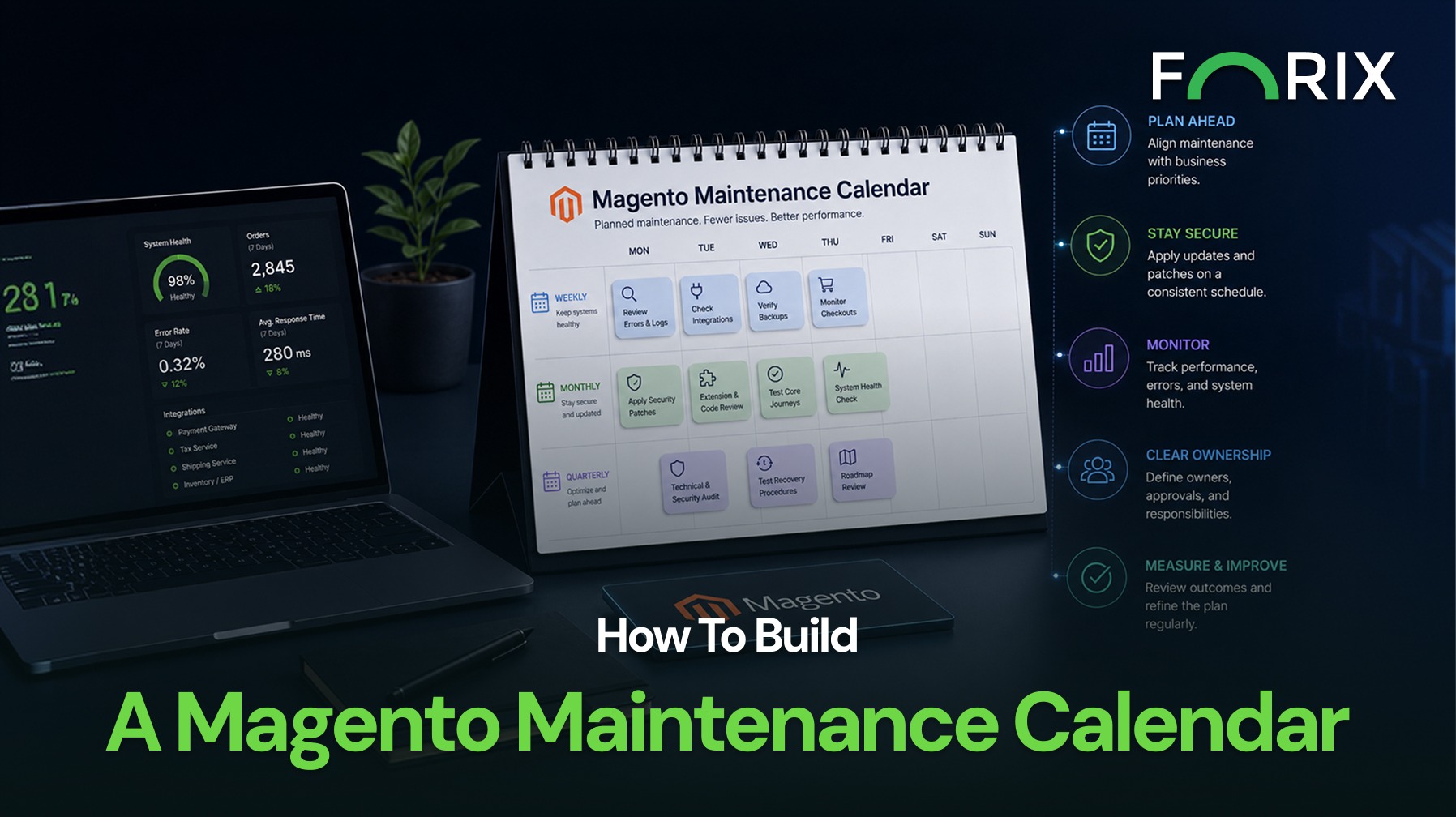
Magento maintenance is easier to manage when recurring work is planned before problems become urgent. Without a clear schedule, updates, testing, performance reviews, and security checks are often delayed until a failure affects customers or internal teams.
A practical maintenance calendar turns technical work into a repeatable operating process. It helps Magento retailers assign ownership, protect release windows, coordinate with business priorities, and reduce the risk of rushed changes.
Explore how Forix’s Magento services help retailers organize updates, testing, monitoring, and optimization around a reliable operating schedule.
Start With Business-Critical Dates
Maintenance planning should begin with the commercial calendar. Major promotions, product launches, holiday campaigns, inventory changes, and financial reporting periods can affect when technical work should occur.
Teams should identify periods when deployment risk must remain low. Updates and structural changes should be completed early enough to allow testing before these dates. Maintenance should not be scheduled in isolation from marketing, merchandising, fulfillment, and customer service.
A shared calendar gives technical teams time to prepare while helping business teams understand when changes can be released safely.
Organize Work by Frequency
Not every maintenance task requires the same schedule. Grouping work by frequency makes the plan easier to manage.
Weekly work may include:
Reviewing critical errors and failed jobs.
Checking payment, shipping, tax, and inventory integrations.
Confirming backups and automated processes.
Reviewing checkout and order-processing alerts.
Monthly work may include:
Applying approved security and quality patches.
Reviewing extension and custom-code issues.
Testing core customer journeys.
Checking indexers, queues, cron jobs, and database health.
Reviewing performance trends and capacity.
Quarterly work may include:
Completing broader technical and security audits.
Reviewing extension necessity and vendor support.
Testing recovery and rollback procedures.
Evaluating infrastructure and platform dependencies.
Aligning the maintenance roadmap with business priorities.
The exact frequency should reflect the store’s complexity, traffic, release activity, and operational risk.
Separate Routine Maintenance From Major Changes
Routine maintenance should not become a container for every technical project. Security patches, monitoring reviews, and minor fixes follow a different process from platform upgrades, major extension replacements, or checkout redesigns.
The calendar should identify which work can occur within normal maintenance windows and which changes require separate discovery, staging, regression testing, and stakeholder approval.
This distinction protects routine tasks from being delayed by larger projects and prevents complex releases from being treated as simple updates.
Assign Owners and Required Approvals
Every recurring task should have a clear owner. The calendar should identify who reviews alerts, approves updates, performs testing, communicates risks, and confirms successful deployment.
Responsibilities may involve Magento developers, infrastructure teams, QA, analytics, merchandising, and third-party vendors. When ownership is unclear, important work can remain open because each team assumes someone else is handling it.
Approval requirements should also be documented. A security patch may follow an expedited process, while a checkout-related extension update may require business and QA review.
Protect Time for Testing and Validation
A maintenance date should include more than deployment. Teams need time for compatibility review, staging validation, regression testing, data checks, and post-release monitoring.
Testing should cover the areas affected by each change. For example, a payment extension update requires checkout and refund testing, while a search update requires catalog, indexing, filtering, and relevance checks.
The calendar should also preserve a stabilization period after release so teams can monitor errors, performance, orders, and customer reports.
Track Maintenance Outcomes
Completed work should create a useful record. Teams should document what changed, why it changed, who approved it, which tests were completed, and whether follow-up work remains.
Over time, this history can reveal recurring extension conflicts, unstable integrations, repeated manual fixes, and tasks that regularly miss their target dates.
These patterns help retailers improve the maintenance plan and identify where a larger upgrade, replacement, or process change may be necessary.
Conclusion
A practical Magento maintenance calendar connects technical health with business operations. It organizes recurring work, separates routine tasks from major projects, assigns ownership, and protects enough time for testing.
Forix helps Magento and Adobe Commerce retailers build maintenance programs around platform complexity, commercial priorities, and operational risk. A consistent calendar gives teams greater control over updates and helps prevent essential work from becoming emergency work.
Which Magento maintenance tasks should happen weekly?
Weekly work may include reviewing critical errors, failed cron jobs, checkout alerts, integration failures, backups, queues, and order-processing issues.
Which tasks should be scheduled monthly or quarterly?
Monthly work may cover patches, customer-journey testing, database health, extensions, and performance. Quarterly work may include broader audits, recovery testing, infrastructure reviews, and roadmap planning.
Should urgent Magento security patches wait for the next maintenance window?
No. Critical security updates may require an expedited process. Teams should still complete compatibility checks, staging validation, regression testing, and post-deployment monitoring where possible.
Who should own the Magento maintenance calendar?
Ownership is usually shared across Magento development, infrastructure, QA, business stakeholders, and relevant vendors. Each individual task should have one clearly identified owner.
How can retailers measure whether the calendar is effective?
Teams can track completed tasks, missed deadlines, incidents, emergency fixes, recurring integration problems, deployment failures, performance trends, and the time required to resolve technical issues.
From flat sales to explosive sales growth - here's what happens when you partner with Forix
Partnering with Forix was hands down the best decision I’ve made for my store. The
redesign completely
transformed my site — it looks like a million dollars, yet I paid only a fraction of
what I expected.
Even better, sales started climbing almost immediately. Their process was simple,
transparent, and
focused on results. I only wish I had done it sooner.
Sarah Mitchell,Owner
“The free website report from Forix opened our eyes to issues we didn’t even know were costing us sales. The recommendations were clear, actionable, and backed by data. After implementing just a few of their suggestions, we saw a noticeable lift in conversions within weeks. Forix didn’t just give us a report—they gave us a roadmap to growth.”
Lena Hoffman, Director of eCommerce
“The redesign was exactly what my business needed. Clean, mobile-friendly, and conversion-focused. Sales are up 35% since launch.”
Ethan Carter, Founder
“Forix made our Magento to Shopify migration completely stress-free. Every product, customer record, and integration was moved accurately, and the new store’s design is sleek and user-friendly. Our team can now focus on growing sales instead of worrying about technical issues.”
Emily Rivera, Head of Digital Operations
198%
Conversion increase
32%
Transaction increase
30%
Time on site increase
28%
Conversion increase
92%
Revenue increase
87%
Engagement increase
Ready to See the Difference?
Your next big sales boost could start with our free website report. Let us show you the
untapped
potential in your store.
Complete the form below and our team will reach out to get started.
Thank you!
We’ve received your request for a free website report. Our team will be in touch shortly to gather a few details so we can begin your site analysis.
Click Here To
Get My Free Website Report Now
Claim Your FREE Webpage Design and Sell More ASAP
Complete the form below and our team will reach out to get started.
Thank you!
We’ve received your request for a free webpage design. Our team will be in touch shortly to gather a few details so we can begin your page redesign.
Click Here To
Get My Free Webpage Design Now
Claim Your FREE Migration Assessment and Sell More ASAP
Complete the form below and our team will reach out to get started.
Thank you!
We’ve received your request for a free Magento-to-Shopify migration assessment. Our team will be in touch shortly to gather a few details so we can begin building your comprehensive migration plan.
Click Here To
Get My Free Migration Assessment Now
Claim Your FREE Site Report and Sell More ASAP (a $2,000 value).
Complete the form below and our team will reach out to get started.
Thank you!
We’ve received your request for a free website report. Our team will be in touch shortly to gather a few details so we can begin your site analysis.